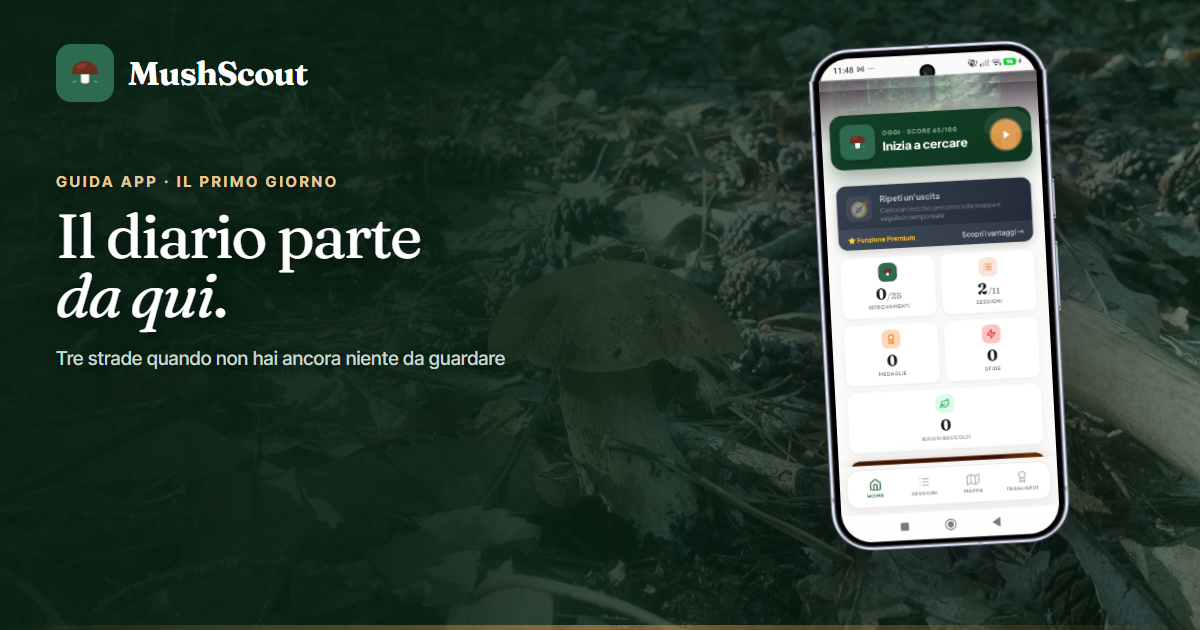
You've installed the app, opened it, and the diary is empty. This is the moment when most apps ask you to wait: "Mark something down, then we'll talk about it." Here, on the first day, the home screen doesn't show your home score—which wouldn't mean anything—but a question: "Where do you start?", with three roads. These are them.
1. Write down an exit you've already made
It's the shortest route to getting your own prediction. You mark an outing from yesterday, last month, or last year: where you went, what day it was, what you found. The app will find the weather for that day on its own., even three years ago, and the forest is beginning to have its own history.
In the free plan you can rebuild Three releases, with unlimited Premium: it is therefore better to choose the most representative ones, not the most beautiful ones. How to do it, in detail, is in start the diary out of season.
2. Analyze a forest
If you don't have a place of your own yet, or you want to evaluate a new one, choose a point on the map and mushrooms: the app will tell you how it is today and in the days to come. It's a esteem made with only the weather, the altitude and the time of year - it does not use anyone's places or finds - and in the free plan you have three in total. Everything explained in analyze a forest where you have never been.
3. Start an outing, if you are already in the woods
The track starts, the findings are marked with a touch, and it also works without fieldWhat you save stays on your phone and launches automatically when the signal returns. You don't even need to register to browse; the account is used when you need to save.
Two things to do right away, which are valid for the whole season
Choose the three mushrooms to follow (from the profile). Not "all": three. Each species has its own rain and its own month, and follow three different ones extends the season more than any other setting.
Add the woods you know, even if you're not there right now: you select a point on the map and the forest appears in the calendar. This is what changes most depending on how useful the app is to you: with just one forest, it has news to give you about fifteen times a year; with four, forty.
What to expect in the first few weeks
At the beginning the app talks to the weather and the season of the species: it is already useful to decide whether to move, but it doesn't know anything about the yours The woods. It becomes yours as you record, including the empty-handed outings—which are the most precious, because they teach you when to stay home. Here we tell you how he learns.
One thing that can be done right away, however, is fix the rain on your own forest: if the weather is wrong, you tell them and the score changes the same day. It's in the place page, together with the exposure of the slope.
Frequently Asked Questions
Do I have to register to try it?
No. You can install it and watch it all without an account: the map, rides, stats, and the Premium page will still open. You need an account when you start saving.
From how many exits does it start working?
It works from day one with the weather section and the species season. The forecast for your locations is built on the trips you log: the more you log, the more accurate it becomes.
Do I have to go into the woods to add it?
No: you choose the point on the map. If you then go there and mark an exit, even if you fail, that forest begins to learn from you.
How much does it cost to try?
Nothing: the app is free, with limits. And you get your first month of Premium by watching a video or with a friend's code, once per account, without a credit card.